Got a GIF that plays too slow? Or maybe it’s so fast you can’t even see what’s happening? Either way, fixing the speed takes about 10 seconds — no software, no signup, nothing to install.
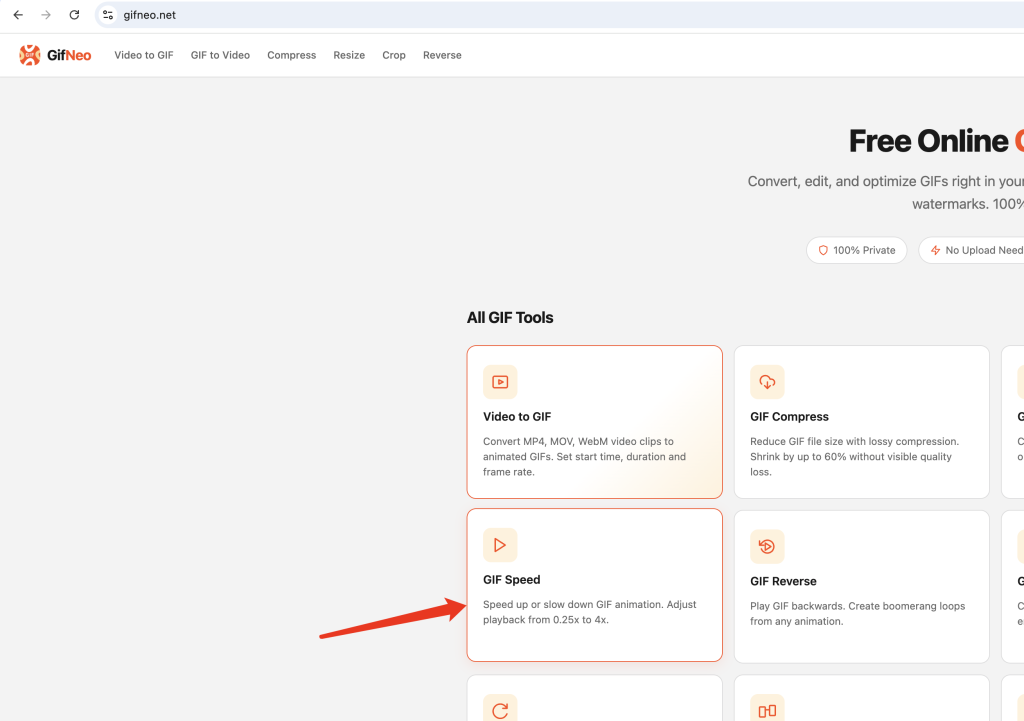
Why Bother Changing GIF Speed?
A GIF that’s too fast is basically useless — your viewers can’t catch the joke, the reaction, or the detail. A GIF that drags on kills the timing. Getting the speed right means the difference between a GIF that gets shared and one that gets scrolled past.
Common reasons to adjust GIF speed:
- A screen recording captured at the wrong frame rate
- A meme that needs to be sped up for comedic timing
- A tutorial GIF that’s too fast for viewers to follow
- An animation you want to slow down to see the details
How to Change GIF Speed in 3 Steps
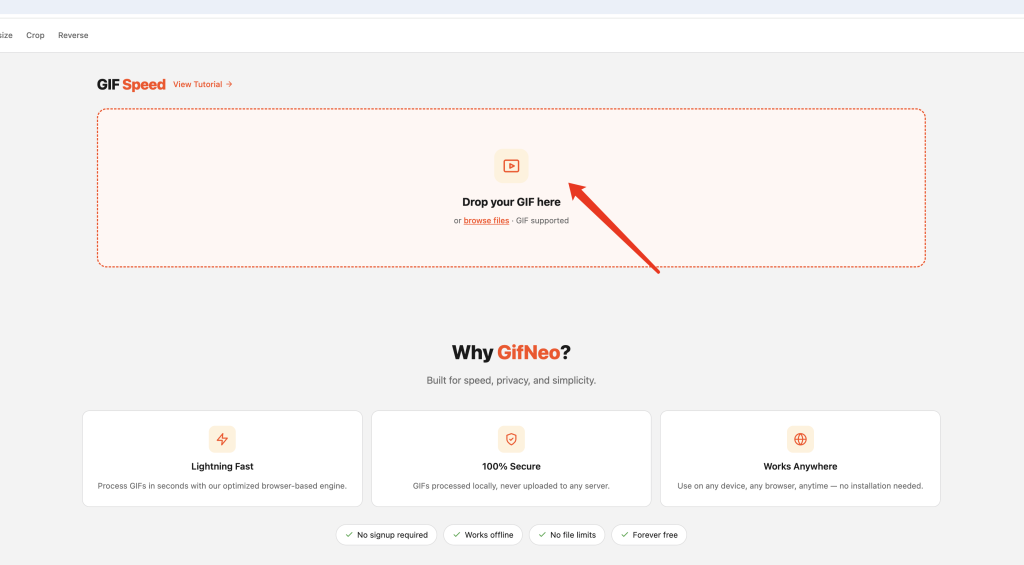
Step 1: Upload Your GIF
Go to the GIF Speed tool and drop your GIF file onto the upload area. You can also click to browse. The file stays in your browser — nothing gets uploaded to any server.
Step 2: Adjust the Speed
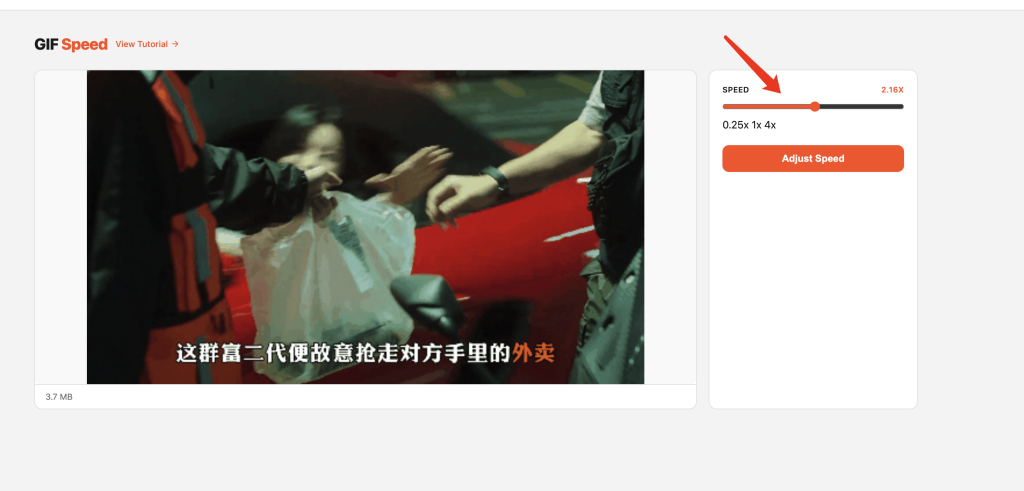
Use the speed slider to set how fast or slow you want the GIF to play:
- 0.25x — quarter speed, for maximum slow-motion effect
- 0.5x — half speed, great for seeing details
- 1.0x — original speed, no change
- 2.0x — double speed, snappy and fun
- 4.0x — maximum fast-forward
The preview updates in real time so you can see exactly how it’ll look before you save.
Step 3: Download the Result
Hit the convert button and wait a few seconds. Then download your new GIF with the adjusted speed. That’s it.
Speed Settings: What Works When
表格
| Scenario | Recommended Speed |
|---|---|
| Reaction GIFs / memes | 1.5x – 2.0x |
| Tutorial / how-to GIFs | 0.5x – 0.75x |
| Screen recordings | 1.0x – 1.5x |
| Slow-motion effects | 0.25x – 0.5x |
| Fast-forward comedy | 2.0x – 4.0x |
FAQ
Does changing the speed affect GIF quality?
No. The tool adjusts the delay between frames — the actual pixel data stays exactly the same. Your GIF looks identical, just faster or slower.
Can I slow down a GIF that’s already too fast?
Yes. Set the slider below 1.0x. The tool recalculates the frame delays to stretch the playback time without dropping frames.
What’s the maximum speed increase?
Up to 4x the original speed. Beyond that, most GIFs become an unrecognizable blur anyway.
Does it work on mobile?
Yes. The entire tool runs in your browser, so it works on phones, tablets, and desktops.
Is there a file size limit?
There’s no hard limit, but larger GIFs (over 20MB) may take longer to process since everything happens in your browser.
Are my files uploaded to a server?
No. All processing happens locally in your browser. Your GIFs never leave your device.
More GIF Tools
- Compress GIF — reduce file size
- Resize GIF — change dimensions
- Crop GIF — cut out a section
- Cut GIF — trim frames
- Reverse GIF — play backwards
- Rotate GIF — flip orientation
- Add Text to GIF — overlay text
- Split GIF — extract frames
- Images to GIF — create from images
- Video to GIF — convert video clips
- GIF to Video — export as MP4